
How to Take Great Product Photos for Your Home Business (Phone-Only Guide)

Buyers can't taste your food or hold your craft before they order — the photo is doing all the convincing. The good news is that great product photography for a home business has almost nothing to do with expensive equipment. Photographers who shoot food and products professionally consistently point to the same handful of fundamentals, all of which work with the phone you already own.
1. Natural light beats everything else
Every serious guide to phone product photography converges on the same first rule: use natural light, not your flash. Position your subject near a window, in soft indirect daylight — not in harsh direct sun, which creates blown-out highlights and hard shadows. Overcast days are actually excellent for this: the clouds act like a giant natural softbox. Never use your phone's built-in flash for food or product shots; it flattens texture and casts an unflattering, artificial tone.
2. Find the angle that matches what you're shooting
A flat-lay (shot straight down from above) works beautifully for cookies, spreads, or an arrangement of small items where the layout itself is part of the appeal. A cake, a stack of parathas, or a piece of pottery usually looks better shot at a 45-degree angle or straight-on at eye level, so the height and texture read clearly. When in doubt, shoot the same setup from two or three angles and pick the one where the product genuinely looks like its best, truest self.
3. Composition: the rule of thirds and a clean background
Most phone cameras let you turn on a grid overlay in the settings — use it. Placing your subject slightly off-center, along one of the grid lines, almost always looks more intentional than dead-center. Just as important: clear the background. A cluttered kitchen counter behind a beautifully baked cake undercuts everything else you did right. A plain wooden board, a simple cloth, or a neutral wall is usually all you need.
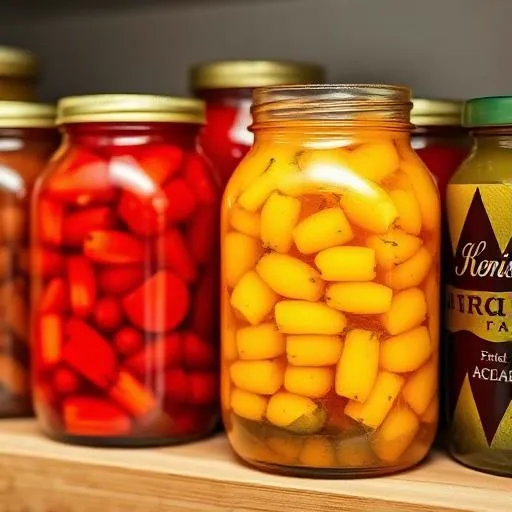
4. Get close enough to show texture
The crackle on a fresh loaf, the glaze on a ceramic bowl, the detail in hand-cut jewelry — this is what actually sells. Get physically closer than feels natural, and let the camera's autofocus (tap the screen on the exact spot you want sharp) lock onto the texture that makes the product special.
5. Light editing, not heavy filters
A small brightness and contrast adjustment — most phone photo apps have simple sliders for this — can make a good photo look great. Avoid heavy filters that shift color tone dramatically; a cake that looks orange-tinted because of a warm filter will look wrong the moment it arrives in person, and that gap between expectation and reality is exactly what erodes trust with a new buyer.
- Shoot near a window in soft daylight — never with flash
- Match your angle to the product: flat-lay for spreads, 45° or eye-level for height and texture
- Turn on the grid, use the rule of thirds, and clear the background
- Get close enough that texture is visible
- Edit lightly — brightness and contrast, not heavy filters
Good photos are one of the highest-leverage, zero-cost improvements you can make to your storefront. On MyPadosi, your product photos are often the very first thing a neighbor sees before deciding to place their first order — it's worth the extra ten minutes to get them right.
Ready to start selling artisans & crafts?
See how MyPadosi helps sellers in this category get discovered.